Troll Grab Tower PC, Mobile & Console Controls
Grab timing, free escape tapping, movement, and tool use for every platform.
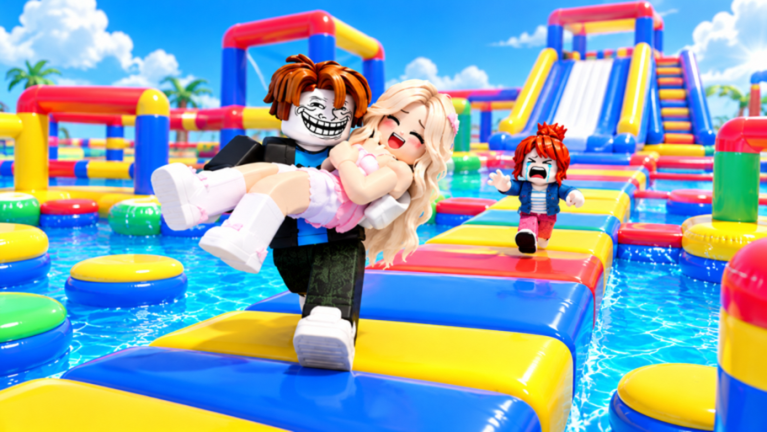
This page is the full controls reference for Troll Grab Tower [FREE ESCAPE]. Parent context sits on the Players Hub. Whether you play on PC, mobile, or console, the rules are the same: grabs start the joke, rapid escape inputs always work for free, and tools (slap, hammer, speed coil) change how you start that joke. No Robux is required to mash out of a hold.
Servers hold up to 24 players, so input clarity matters. A missed escape near a ledge is the difference between laughing at the claw machine and watching your streak die.
Universal actions
| Action | What it does | Notes |
|---|---|---|
| Move | Walk / run across tower, obbies, water park | Coil increases travel speed when equipped |
| Camera | Look / aim tool swings | Edge awareness prevents self-yeets |
| Jump | Clear gaps in the three obbies | Do not jump while mashing escape if the UI needs tap focus |
| Grab / tool use | Slap or hammer interact with nearby players | Range is short — step in before firing |
| Escape mash | Break free from a grab | Always free — spam the prompted control |
| Interact | Claw machine, outfits, reward UI | Wait for full spawn before hunting buttons |
Exact key labels follow standard Roblox platform mappings. If Roblox remaps a default, trust the on-screen prompt during a grab first.
PC controls
- WASD — movement
- Space — jump
- Mouse — camera; click for tool world interaction when required
- E or on-screen proximity prompts — interact with machines / pickups when shown
- Equipped tool activation — left click / tool default bind for slap or hammer swings
- Escape mash — rapidly press the on-screen key or click the escape affordance as soon as you are grabbed
PC tips
- Enable shift-lock if you want consistent slap aim on moving targets.
- Keep the cursor free when you expect to be grabbed so you can hammer the escape control without opening the Roblox menu.
- On busy hammer fights, lock camera toward cluster centers, not the skybox.
- Alt-tabbing mid-grab is how you donate a claw-machine clip to someone else.
Mobile controls
- Left thumbstick — move
- Jump button — standard jump
- Camera drag — right-side touch drag
- Tool button — appears when slap / hammer / coil is equipped
- Escape — mash the large on-screen escape prompt; use a second thumb if needed
Mobile tips
- Move the jump button layout in Roblox settings if it overlaps the escape prompt.
- When grabbed near a slide exit, plant thumbs before the grab completes so mash latency stays low.
- Avoid holding the device one-handed during troll-heavy lobbies — free escapes still need tap speed.
- Coil chases are easier in landscape orientation with a wider camera drag zone.
Console controls
- Left stick — move
- Right stick — camera
- A / Cross — jump (platform default)
- Tool / attack button — use equipped slap or hammer per Roblox tool rules
- Interact — proximity button when claw machine or pickup prompts appear
- Escape mash — mash the on-screen / highlighted button rapidly
Console tips
- Increase camera sensitivity slightly for hammer tracking across 24-player piles.
- Remap if your claw-hand grip blocks the escape mash button — test in a quiet moment, not mid-jail throw.
- Watch for wireless latency; free escape still works, but delayed taps feel unfair on tall drops.
Grab timing window
A good grab is three beats:
- Close distance with walk or speed coil.
- Fire slap/hammer when the hitbox overlaps — early swings whiff, late swings eat escapes.
- Commit to a destination immediately: magic carpet (Nice), jail, claw machine, or ledge (Troll / streaks).
If you admire your grab animation too long, the victim’s free mash succeeds and you lose the setup. Decide Nice vs Troll before the swing when possible.
Escape mash technique
Escapes are the heart of the FREE ESCAPE branding:
- Start mashing the instant the grab locks — hesitation is what feeds claw clips.
- Use the densest input you can sustain for one to two seconds; rhythm beats random pauses.
- On mobile, dedicated thumb mash beats whole-palm slaps that miss the button.
- After you break free, strafe — many players re-grab the same cell.
- If you want the carpet ride, pause mash briefly, then resume the second the carrier turns hostile.
Nobody can charge you Robux to continue mashing. Any UI that claims otherwise is not part of legitimate Troll Grab Tower flow — leave and rejoin if a scam prompt appears.
Using tools without wasting inputs
Slap: single-target, quick. Tap once per intended grab; spam clicking in empty air broadcasts your position.
Hammer: commit to swings that intersect more than one player when possible (Tools Tier List).
Speed coil: hold movement forward through straights; release focus when you need precise slap aim on a beam.
Switching tools mid-chase is normal. Coil to approach, slap/hammer to finish.
Claw machine & carpet inputs
- Claw machine: after a Troll throw lands, use the interact control to play for prizes. Do not AFK in the prompt while enemies regroup.
- Magic carpet ferry: keep movement inputs gentle during the lift so you do not clip the victim into geometry; they may still mash free.
- Jail route: shorter throw lines than carpet — prioritize speed over cinematic camera spins.
Obby movement notes
You will enter the Golden Carpet Obby, Speed Coil Obby, and Tower Obby between fights:
- Same jump/move controls apply.
- Expect greifers with slap/hammer at exits — pre-position escape mash readiness when you see a crowd.
- Falling is normal; coil helps you return faster if you still hold it.
Water park slides add camera swirl. Re-center the camera before attempting a grab at the splash-out platform. More map notes live under Water Park.
Troubleshooting “controls feel broken”
- Cannot escape: you are clicking the chat bar or menu. Close UI, focus the escape prompt.
- Tool will not fire: you are not close enough, or coil is equipped instead of slap/hammer.
- Mobile prompt missing: wait for character load; soft-rejoin if HUD failed.
- Console aim drifts: recalibrate sticks; lower deadzones if your hardware supports it.
- Everything lagged: 24-player chaos plus water park VFX can hitch — pre-mash anyway.
Practice drills
- Escape only lobby: ask a friend to grab you twenty times; measure mash success near ledges vs flat ground.
- Slap precision: only grab players on narrow beams.
- Hammer clusters: only swing when two or more targets overlap.
- Coil approach: touch a player with coil movement, then switch tool before grabbing.
- Destination commits: alternate carpet deliveries and claw dunks without mid-carry indecision.
Related pages
- Players Hub — habits and Nice vs Troll mindset
- Tier List Hub — why hammer outranks slap for groups
- Guides — broader how-tos
- Scripts — automation exists but risks bans; controls here are the allowed path
Learn these inputs once and every future update becomes easier to absorb. The tower changes; free escape mash does not.
Frequently Asked Questions
Quick answers about Troll Grab Tower.
What button escapes a grab?
Mash the on-screen escape control as soon as you are held. It is always free on PC, mobile, and console.
Why will my slap not hit?
You are likely out of range or still holding speed coil. Close distance, equip slap or hammer, then fire.
Does mobile need a special setting?
Adjust jump/button layout so the escape prompt is easy to spam. Landscape helps camera drag during coil chases.
Can console players use the claw machine?
Yes. Use the proximity interact button after a successful Troll throw, then play for prizes.
Where do I read tool rankings after learning controls?
Open the Tools Tier List for hammer, slap, and speed coil matchups.